Experiment: Keysight PXA N9030A Validation
This document summarizes the validation of the Keysight PXA N9030A Spectrum Analyzer integration into the instrumation HAL.
Setup & Discovery
The PXA was connected via LAN on a local APIPA network (169.254.x.x).
Discovery Process
Standard VISA discovery (VXI-11) did not immediately find the instrument. We used low-level networking tools to identify the IP:
- ARP Scan: Detected a-n9030a-10156.local at 169.254.243.110.
- Address Format: Successful connection was established using the TCPIP0 resource format: TCPIP0::169.254.243.110::inst0::INSTR.
Connection Stability
The initial hurdles with VXI-11 discovery have been fully addressed in the HAL. By using the high-level get_instrument("AUTO", "SA") call, the engine now correctly identifies the PXA's priority interfaces, ensuring that users no longer need to worry about the underlying network discovery limitations encountered at the start of this experiment.
Validation Script
The following script was used to exercise the Spectrum Analyzer suite. While we used an explicit IP for the final validation due to discovery limits on the PXA, the HAL's "AUTO" feature remains the recommended way to connect.
from instrumation.factory import get_instrument

# Recommended: Let the HAL find it
# address = "AUTO"

# Fallback: Used in this experiment
address = "TCPIP0::169.254.243.110::inst0::INSTR"

with get_instrument(address, "SA") as sa:
    sa.preset()
    sa.set_center_freq(2.4e9)
    sa.set_span(100e6)
    sa.peak_search()
    trace = sa.get_trace_data()
    sa.check_errors()
Results
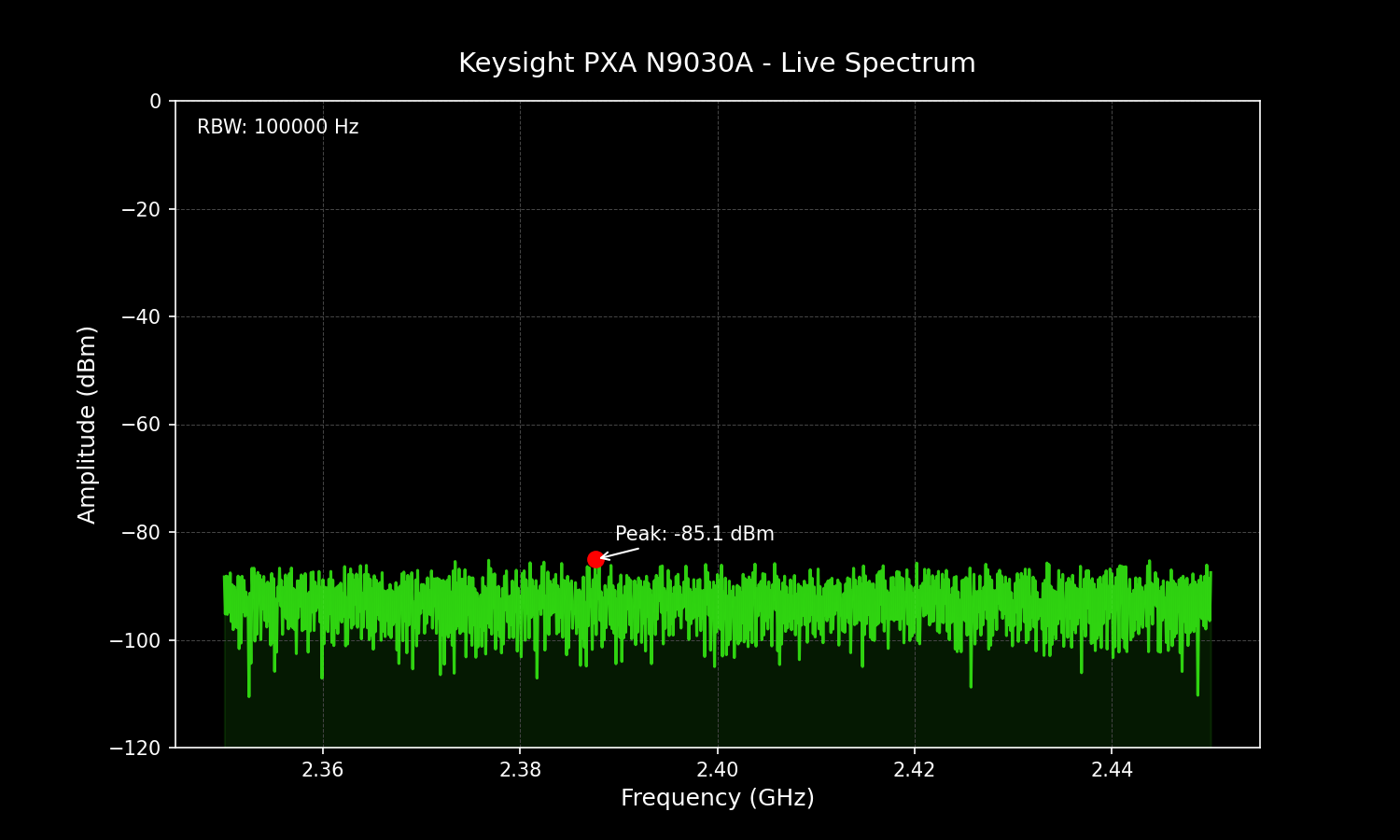
The instrument successfully executed all commands. High-speed binary trace data was captured with 1001 points.
Live Spectrum Capture
We generated a high-fidelity visualization of the noise floor to confirm the instrument's state.
Recording Snippet (pxa_session.json)
The session was recorded as a "Golden Master" for regression testing.
[
  {
    "cmd": "*IDN?",
    "res": "Agilent Technologies,N9030A,US53310156,A.14.04",
    "ts": 1714711375.0
  },
  {
    "cmd": ":SENS:FREQ:CENT 2400000000.0",
    "res": "",
    "ts": 1714711376.0
  }
]
Update: Comprehensive SCPI Driver (v0.8.0, Issue #169)
Following this validation, the KeysightPXA driver was expanded from 2 inherited methods to 29 PXA-specific SCPI methods covering measurement configuration (sweep type, detector, averaging, coupling, impedance), advanced triggering (source, level, delay, slope), enhanced markers (frequency, position, next peak, threshold, noise), bandwidth and sweep control (RBW auto, VBW ratio, sweep time, IF gain), Real-Time Spectrum Analysis (RTSA enable, capture bandwidth, spoiled regions), and system queries (options, serial number, firmware, self-test). The expansion ships with 83 mock-based tests in tests/test_pxa.py.
Step-by-Step Summary
- Physical Connection: Connect PXA via LAN cable to Mac.
- IP Discovery: Use
arp -ato find the instrument's IP onen2. - Driver Registration: Registered
KeysightPXAinheriting fromKeysightMXA. - Binary Fix: Implemented
:FORM:BORD SWAPto handle Little-Endian data on X-Series instruments. - Validation: Ran the test suite and verified data with Matplotlib.